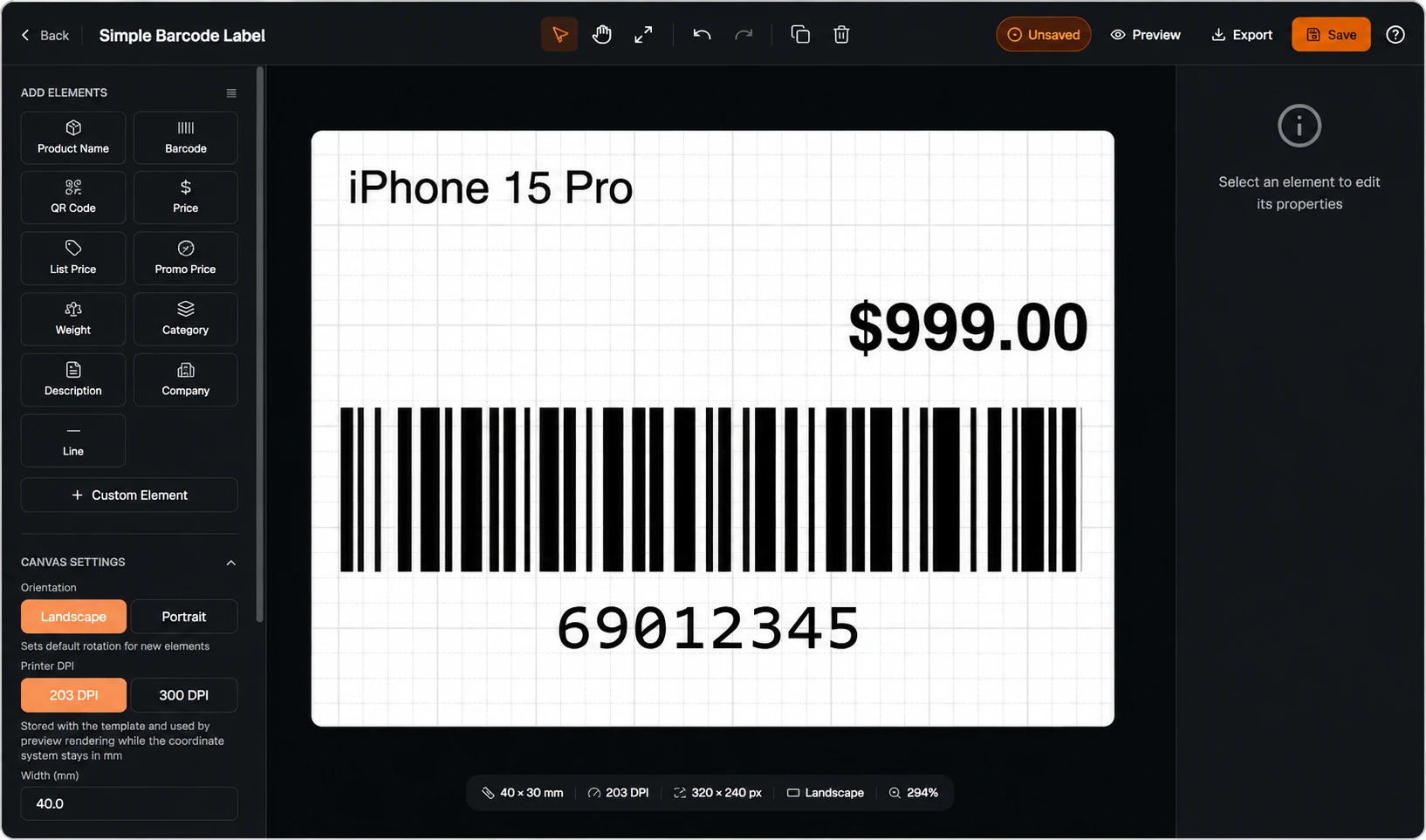
Cloud Label Printing Made Simple
Design barcode and QR code labels online, import data from Excel or CSV, connect your Odoo workflows, and print through supported local or network printers with TopBridge.
- โ Browser-based label design
- โ Excel and CSV batch printing
- โ Odoo label printing integration
- โ TSPL and ZPL printer workflows
Find the Right Printing Setup
Tell us about your printer or label workflow. Our team will help identify the most suitable TopSale solution.
Choose the right path for your label workflow
TopSale combines browser-based label creation, spreadsheet data and local printer connectivity in one connected workflow.
Cloud Label Editor
Design barcode and QR code labels directly in your browser using reusable templates, dynamic fields and custom graphics.
Explore Cloud Label Editor โExcel Label Printing
Upload Excel or CSV files, map spreadsheet columns to label fields and print many unique labels in one batch.
Explore Excel Printing โTopBridge Application
Connect cloud-generated print jobs to supported local and network printers through a lightweight Windows desktop bridge.
Explore TopBridge โFrom business data to printed labels in four steps
A straightforward workflow for designing, managing and printing labels across your business.
Create or import data
Build label content in the browser or upload an Excel or CSV file containing your product or operational data.
Choose a template
Select a saved label template and map your data fields to the correct text, barcode or QR code elements.
Connect through TopBridge
TopBridge runs in the background and routes print jobs from the cloud to your supported local printer.
Print locally
Send individual or batch jobs to the correct local or network printer without rebuilding the label each time.
Everything needed for daily label printing
TopSale supports common business workflows from template design and spreadsheet data through to supported local printer output.
Barcode and QR code labels
Create labels containing barcode and QR code elements in the cloud editor and reuse templates across different workflows.
Batch printing from spreadsheets
Use Excel or CSV files to produce labels with different products, SKUs, serial numbers, prices or shipping data.
Printer compatibility
Connect supported TSPL and ZPL workflows involving common TSC, Zebra, Xprinter, Godex, Citizen and Brother printer setups.
Global language support
Support multilingual labels and regional text requirements through appropriate charset handling and printer configuration.
Built for the labels your business uses every day
Use TopSale across retail, warehouse, shipping, food and asset-management workflows.
Connect TopSale to your business systems
Use the Odoo Addon for ERP workflows or the developer SDK to add browser-to-printer functionality to your own application.
Odoo Addon
Print labels from Odoo inventory, manufacturing and sales workflows without switching between multiple systems.
- โ Print from Odoo workflows
- โ Route jobs through TopBridge
- โ Support location-based printer routing
SDK for Developers
Add printer discovery, health checks, quota validation and print execution to your own web application.
- โ Browser-native workflow
- โ Printer discovery and health checking
- โ TopBridge print execution
Why businesses choose TopSale
Move label design and data management to the cloud while continuing to print through supported local hardware.
Design in the browser
Create, save and reuse label templates without relying on a separate desktop-only design workflow.
Use existing business data
Connect spreadsheet or ERP data to your label templates instead of manually retyping information.
Print to supported local devices
TopBridge helps route cloud jobs to supported printers at the correct workstation or business location.
A connected workflow for browser design, data mapping and supported printer output.
Frequently Asked Questions
Common questions about TopSale, TopBridge and supported label-printing workflows.
Can I create barcode and QR code labels online?
Yes. The Cloud Label Editor is designed for creating reusable barcode and QR code label templates directly in the browser.
Can I print labels from Excel or CSV?
Yes. You can upload an Excel or CSV file, map columns to label fields, choose a template and print labels through TopBridge.
What does TopBridge do?
TopBridge is a lightweight Windows desktop bridge that routes cloud print jobs from TopSale to supported local or network printers.
Does TopSale support Odoo?
Yes. The Odoo Addon supports label-printing workflows across inventory, manufacturing and sales use cases.
Which printers are supported?
TopSale supports workflows involving TSPL and ZPL printers, including common TSC, Zebra, Xprinter, Godex, Citizen and Brother setups. Compatibility should be confirmed for the exact printer model and configuration.
Can developers integrate printing into their own web app?
Yes. The developer SDK supports browser-to-printer workflows, including printer discovery, health checks, quota validation and print execution.
Start Building a Simpler Label-Printing Workflow
Design labels online, connect Excel or Odoo data and print through supported local printers with TopSale and TopBridge.