
TopSale Shopify Label Printing

Print Shopify product labels directly to your thermal printer.

Select products from your Shopify store, apply a reusable label template, set the quantity, preview your labels, and print individually or in batches through TopBridge.

  • Shopify product data
  • Batch label printing
  • Thermal printer ready
TopSale Shopify label printing dashboard showing print mode, label template, products and copies, thermal printer settings, and label preview

Built for Shopify

Label your Shopify products without rebuilding the data.

TopSale keeps your Shopify product information at the centre of the labelling process. Work with the products and variants you already manage, apply reusable label templates, and keep label preparation connected to your Shopify catalogue.

01

Shopify Product Data

Use the product information you already maintain in Shopify when preparing labels, reducing duplicate data entry and unnecessary manual preparation.

02

Reusable Label Templates

Create a label design once and reuse it across different Shopify products, helping keep your label layout consistent.

03

Products & Variants

Work with the specific Shopify products and variants that need labels, so the information used matches the item you are preparing.

04

A Connected Shopify Workflow

Keep product selection and label preparation connected to Shopify instead of moving the same information into a separate spreadsheet or recreating it in another workflow.

How it works

From Shopify products to printed labels in a few simple steps.

Select your products, prepare the label layout and send your finished labels directly to a connected thermal printer through TopBridge.

1

Select products

Choose the Shopify products or variants you want to create labels for.

2

Choose template

Apply a saved label template containing the product information you want to print.

3

Set quantity

Set how many labels you need for each selected product or variant.

4

Preview labels

Review your layout, barcode, product information and price before printing.

5

Print with TopBridge

Send your finished labels directly to a connected USB or network thermal printer.
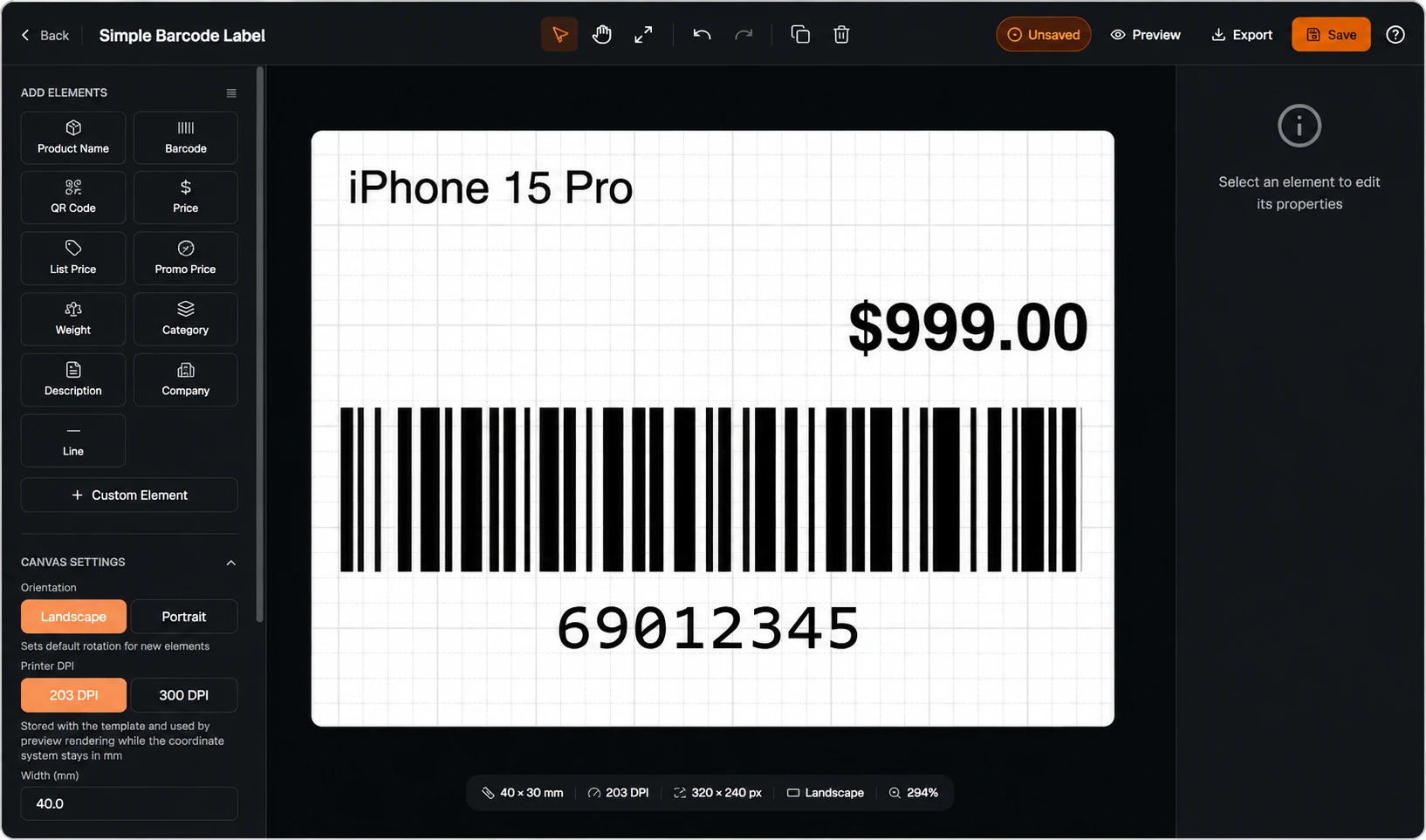
Live label preview
TopSale Shopify label editor showing an iPhone 15 Pro product label with price, barcode and print settings
Preview before printing

Check product details, pricing, barcode placement and label layout before sending the job through TopBridge.

Products Template Quantity Preview TopBridge

Product & batch label printing

Turn Shopify product data into ready-to-print labels

Create labels using the product information already stored in Shopify. Add barcodes, SKUs, product names and prices to reusable layouts, then print a single label or prepare a full batch for multiple products and variants.

Product details

Include product names and prices directly from your Shopify catalogue in your label design.

Custom layouts

Design reusable label templates with custom sizes, layouts and product information.

Single or bulk printing

Print one product label when needed or batch print labels for many products and variants at once.

Thermal Printer Connection

Connect Shopify label jobs directly to your thermal printer.

TopBridge connects TopSale's Shopify label printing workflow with supported local printers, allowing prepared label jobs to be sent directly to USB or network-connected thermal printers.

Connection USB and network-connected printers
TopBridge Routes Shopify label jobs from the cloud to your local printer
Printer Support Brother and compatible thermal printers
Print Languages TSPL and ZPL / Zebra-compatible printing
Start Printing From Shopify

Add Faster Label Printing To Your Shopify Workflow

Connect your Shopify products to TopSale and TopBridge. Create barcode, SKU, product name and price labels, then print single labels or complete batches through your connected thermal printer.

30-Day Free Trial Product & Batch Printing TopBridge Printer Support
S Label Printing Workflow
Connected
Shopify Product Product or variant data selected
Ready
TopSale Template Label layout and fields applied
Mapped
Local Printer TopBridge routes the print job
Online
View pricing and start your TopSale free trial.
WhatsApp Us Register Now