
Browser Based Print Architecture Explained
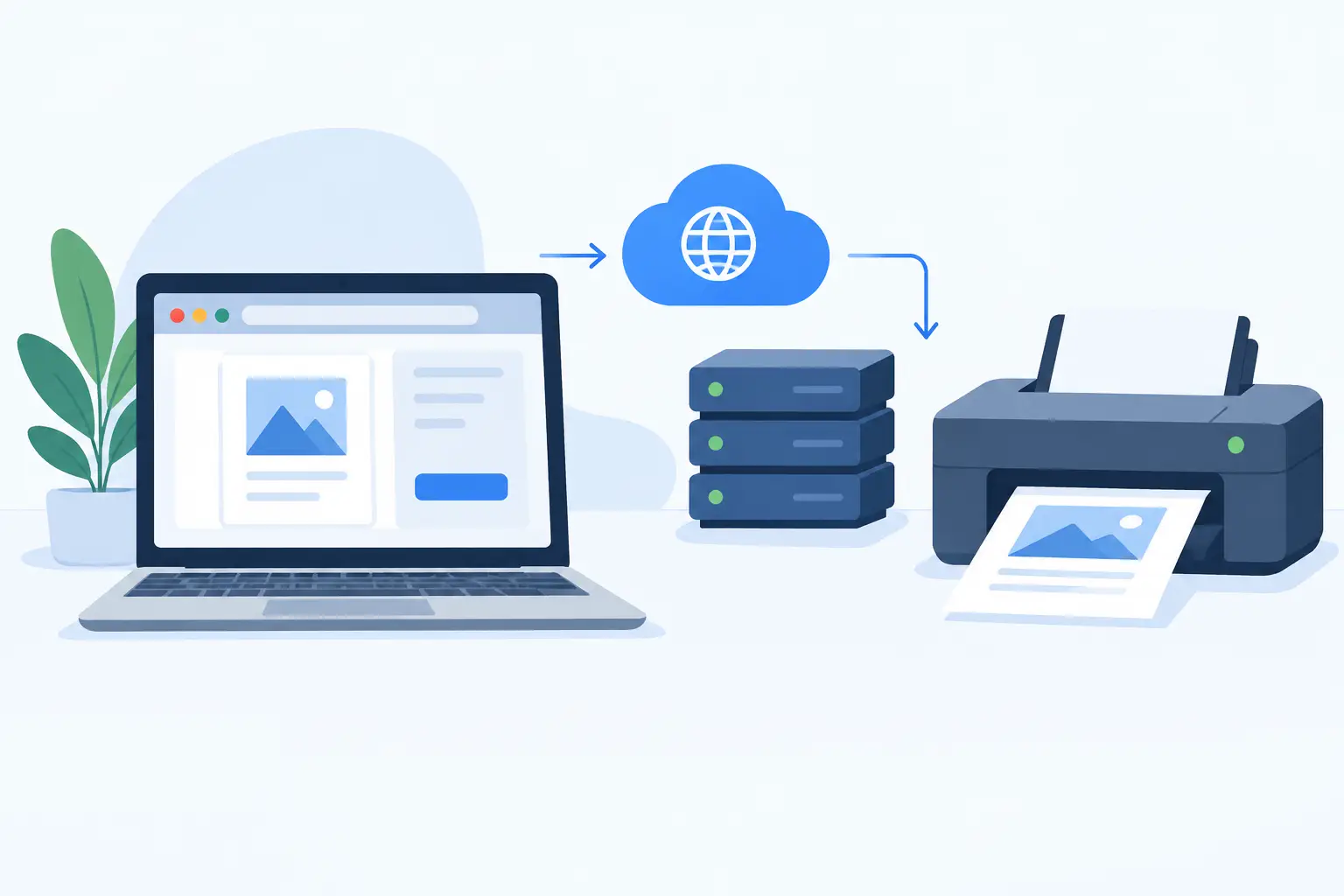
A warehouse team clicks Print from an order screen, but the label printer sits behind a local network, a firewall, and a physical loading dock. That gap is where browser based print architecture either proves its value or creates another operational bottleneck. The goal is not simply to send a file from a web page. It is to reliably turn live business data into the correct thermal label, at the right printer, with no manual downloads, shared folders, or extra hardware boxes to maintain.
For operations teams, this matters because printing is part of execution. A delayed carrier label can hold an order. A missing product label can interrupt receiving. A barcode that renders with the wrong character encoding can create errors that reach the customer. The architecture behind browser-to-printer workflows determines whether printing is a dependable system capability or a daily workaround.
What Is Browser Based Print Architecture?
Browser based print architecture is the technical model that connects a cloud application running in a web browser to printers installed on a user’s local computer, local network, or warehouse floor. It allows a business system to create a print job in the cloud while a local component manages the final connection to the physical printer.
A browser alone has limited access to local devices by design. That security boundary protects users, but it also means a SaaS platform cannot simply reach into a warehouse network and send raw commands to a Zebra, TSC, Xprinter, or Brother printer. An effective print architecture solves this constraint without requiring users to download files, open a separate application for every job, or deploy dedicated IoT print boxes at each site.
In a practical setup, the workflow has three layers: the cloud application, a local print bridge, and the printer. The cloud application stores label templates and business data. The print bridge runs on a local workstation or server with access to the printer. The printer receives the final output in a format it understands, such as ZPL or TSPL.
Why Direct Browser Printing Is Not Enough
Standard browser print dialogs work for occasional office documents. They are not built for high-frequency operational labeling. They introduce decisions that should be automated: selecting a printer, confirming settings, choosing paper size, and sometimes adjusting scale. Those choices increase the chance that a 4 x 6 shipping label lands on an A4 office printer or prints at the wrong density.
Thermal label environments also need more control than a browser dialog can provide. A warehouse may require raw ZPL or TSPL commands, precise label dimensions, printer-specific darkness settings, barcode symbology, and fast batch output. These requirements are common in shipping, inventory control, manufacturing, and retail replenishment.
The alternative is often an IoT print appliance installed at every location. That model can work, but it adds procurement, network configuration, firmware responsibility, replacement stock, and another device that must remain powered and online. For growing businesses with multiple sites, those small infrastructure burdens add up quickly.
A local desktop bridge provides a more direct model. It uses the existing computer and printer connection already present at the worksite, while the cloud platform handles templates, data, permissions, and job orchestration.
How the Architecture Works in Daily Operations
The strongest browser based print architecture keeps the user experience simple while separating cloud logic from local hardware access. A user should be able to trigger printing from a browser-based workflow, but the system behind that action should be deliberate.
1. Business data creates the print job
A print job begins in the system where work is happening. That may be an ecommerce order, an Odoo picking operation, a production batch, a receiving transaction, or an Excel or CSV upload. The application selects a label template and merges values such as SKU, order number, quantity, location, expiration date, barcode data, or shipping address.
This approach matters because it prevents teams from recreating labels manually. The same source data that runs the operation should drive the physical label.
2. The cloud prepares the label output
The cloud platform applies the template rules and converts data into the required print representation. Depending on the printer and workflow, that may involve generating printer-ready ZPL or TSPL commands, rasterized output, or a controlled document format.
This is also where global operations need special attention. Names, addresses, and product data may include accented Latin characters, Chinese, Japanese, Korean, Arabic, or other non-English text. If the platform, bridge, and printer are not aligned on encoding, a correctly stored value can become unreadable characters on the finished label.
3. A local print bridge receives the job
The bridge is the local connector between the browser-based platform and the printer environment. It authenticates with the cloud service, receives authorized jobs, identifies available printers, and sends output through the local operating system or network connection.
TopSale uses TopBridge for this function. The application allows browser-driven label workflows to reach local and network-connected printers without adding a separate IoT box. For a warehouse or retail site, that means the cloud system can remain centralized while printer access stays inside the local environment where it belongs.
4. The printer executes the job
The bridge sends the final job to the selected device using the appropriate connection and protocol. The printer then produces the label at operational speed. When configured correctly, the user does not need to intervene with a print dialog or handle files between systems.
That is the difference between cloud label design and true cloud-to-local printing. The label is not merely created in a browser. It is delivered as an executable part of the workflow.
Design Decisions That Affect Reliability
Not every print environment needs the same architecture. A single retail counter with one USB printer has different requirements than a fulfillment operation with dozens of networked devices. Still, several decisions consistently determine reliability.
Keep templates centralized, printer selection local
Templates should be managed centrally so every site uses approved label layouts, barcode rules, and brand information. Printer selection should remain configurable by location, workstation, user role, or workflow. This gives IT and operations teams control without forcing one printer configuration across every facility.
For example, a packing station may default to a 4 x 6 shipping printer, while receiving uses a 2 x 1 inventory label printer. Both can use the same cloud platform, but their local routing rules should be different.
Use native printer languages when speed matters
ZPL and TSPL support is especially useful when teams need fast, high-volume thermal printing and precise control over label behavior. Native commands can reduce processing overhead and improve consistency for supported devices.
There is a trade-off. Native printer languages require careful template design and testing across printer models. A mixed fleet may need multiple output strategies, especially if label formats, resolutions, or command support differ. A capable platform should accommodate these differences rather than treating every printer as identical.
Plan for local failure modes
Cloud software cannot eliminate physical printer issues. Labels can run out, printheads can fail, USB cables can disconnect, and local computers can restart. Good architecture makes these failures easier to identify and recover from.
Operational teams should know whether a job reached the bridge, whether it was accepted by the printer, and whether the correct device was available. Clear status information reduces the time spent guessing whether the problem is the order system, the network, the bridge, or the printer itself.
Treat security as part of the workflow
A local bridge should only accept work from authorized cloud accounts and should not expose printers broadly across the internet. Authentication, encrypted communication, role-based access, and controlled device registration are practical requirements, particularly when print jobs contain customer addresses, product information, or regulated data.
The architecture should also respect local network boundaries. The cloud coordinates work, while the bridge maintains local printer access. This avoids opening unnecessary inbound access to devices that were never designed to be internet-facing.
Where This Model Delivers the Most Value
Browser-driven local printing is useful anywhere a digital transaction must quickly become a physical identifier. In ecommerce, it can print picking, packing, and carrier labels as orders move through fulfillment. In warehousing, it supports bin labels, pallet labels, receiving labels, and cycle-count workflows. In manufacturing, it connects work orders to component, product, and traceability labels.
It is equally useful for teams that still rely on spreadsheets. Batch printing from Excel or CSV can be a controlled process rather than an error-prone mail merge exercise. Users upload data, map it to a saved template, validate the result, and send a production run to the appropriate thermal printer.
For software teams, an SDK or API-based approach extends the same architecture into custom applications. The key is to keep print initiation close to the business event while leaving printer connectivity to the local bridge. Developers avoid rebuilding device discovery and raw printer communication inside every application.
Build for the Floor, Not Just the Screen
The best browser based print architecture is measured at the moment a label is needed, not when a template looks correct in a browser preview. It should handle real printers, real networks, multilingual data, and the pressure of an active operation.
Start with one high-value workflow, such as shipment labels or inventory receiving. Confirm the template, printer protocol, character encoding, routing rule, and recovery process. Once that path is dependable, the same cloud-to-local model can expand across sites, teams, and systems without adding another layer of hardware to manage.